Resume sections: ordering, summaries, and work experience
Choose and organize essential and optional resume sections, then write your summary, experience, education, projects, and skills accurately.
- Resume writing guides
- Resume sections
- Professional summary
- Work experience
- Resume order
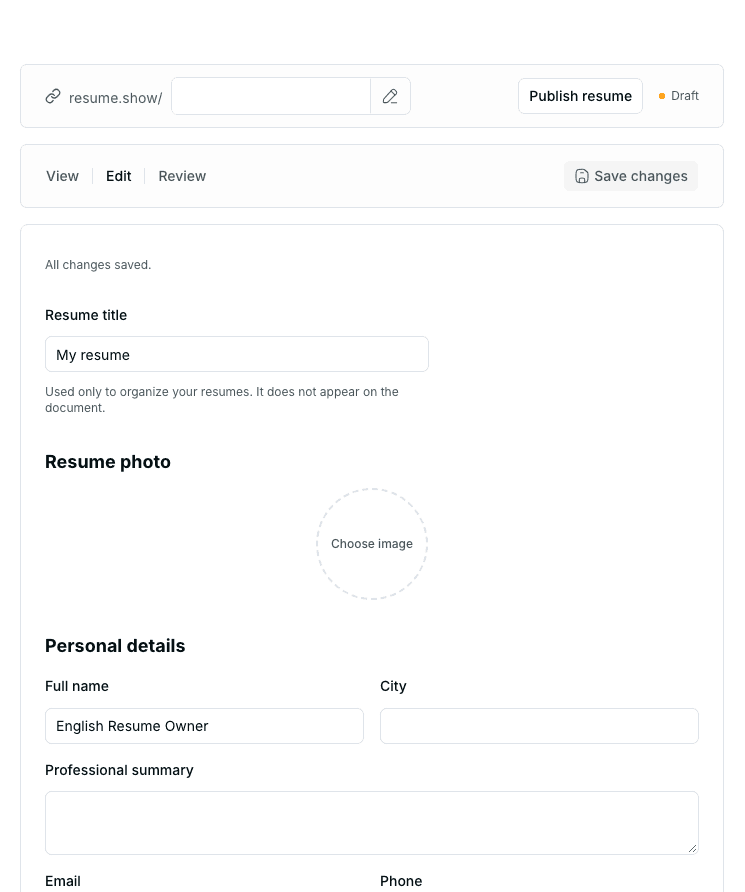
A good resume does not need every possible section. Choose and order sections around your target opportunity and actual evidence. Work history may lead for an experienced applicant; projects, education, or related activities may lead for a student or career changer.
This guide maps the sections, then examines two common questions in detail: the professional summary and work experience. The goal is not filling a template, but helping readers understand how your experience fits the role.
1. Essential and optional sections
Most resumes combine basic sections with selected optional ones.
Basic sections
- Name and contact information
- Job title or target role
- Professional summary or About me, when useful
- Work experience or relevant experience
- Education
- Relevant skills
Optional sections
- Projects
- Internships
- Volunteering
- Certifications and completed courses
- Languages
- Publications
- Research
- Documented honors
Optional does not mean unimportant. A junior developer's projects may matter more than short, unrelated employment. Conversely, an empty "Publications" section only adds clutter.
Every section should do at least one of these:
- Address a real requirement of the role.
- Provide evidence of skills or experience.
- Supply context needed to understand your career path.
Consider shortening or removing sections that do none of these.
2. Choosing the order
Lead with your strongest relevant evidence. There is no universal order.
Applicants with relevant experience
- Contact details and target title
- Professional summary
- Work experience
- Skills
- Education
- Projects, certifications, or additional sections
Students and recent graduates
- Contact details and target title
- Short summary
- Education
- Projects
- Internships or student activities
- Relevant skills and courses
See the student resume guide.
Applicants without formal employment
- Contact details and target title
- A summary based on background and goal
- Projects and relevant experiences
- Skills
- Education and courses
- Volunteering or transferable responsibilities
The resume without work experience guide explains how to find and present evidence outside employment.
Career changers
- Contact details and new target title
- A summary connecting previous experience to the new field
- A project or experience related to the new path
- Transferable and specialist skills
- Previous employment, emphasizing relevant responsibilities
- Education and further training
Do not hide previous work. Shorten it and focus on what matters to the new role.
3. Contact details and target title
Keep the top simple and usable. Usually include:
- Full name
- City, if needed
- Phone
- Professional email
- Relevant portfolio or profile
- Job title or target role
Do not add sensitive or unrelated personal information simply to fill the header. Assess each detail against the vacancy's instructions and the destination's credibility.
Be specific: "Junior data analyst" or "Content specialist" gives more context than "Job seeker." Do not choose senior or managerial titles without corresponding experience.
4. The professional summary or About me
This is a short introduction, not a biography, cover letter, or list of personality adjectives.
What should it communicate?
A useful summary answers:
- What is your role, field, or career stage?
- Which experience is most relevant?
- What actual skill, tool, or output supports it?
- What type of role or responsibility are you applying for?
Basic pattern:
[Role or field] with experience in [relevant area] through [actual work, internship, or project]. Familiar with [relevant skill or tool], with experience delivering [verifiable output or responsibility]. Applying for [target role] focused on [relevant responsibility].
Keep it short and personal. Remove phrases unsupported elsewhere.
Experienced applicant example
Example disclosure: This editorial placeholder describes no real person, company, title, employment history, or achievement.
[Actual job title] with experience in [specific field] and responsibility for [actual scope]. Familiar with [tool or method], with a record of delivering [documented output type]. Applying for [target role] to focus on [related responsibility].
Student example
Example disclosure: Replace this with the reader's actual field, project, and tools.
Student in [field and qualification] with practical experience in [academic or personal project topic]. Familiar with [tool] through building [observable output], and interested in [target role] involving [related responsibility].
Career-change example
Example disclosure: This makes no claim about an actual work history or career transition.
Applicant with a background in [previous field] and transferable experience in [relevant skill]. After completing [actual project or training] in [new area], has examples of [output] and is applying for [target role].
What to leave out
- "Hardworking," "creative," or "responsible" without evidence
- Vague goals such as "growth in a dynamic environment"
- Unrelated personal information
- A complete repetition of the skills section
- Seniority or experience absent from the rest of the resume
- Identical text for very different roles
If a specific, evidence-based summary is not possible yet, temporarily omit it rather than insert a generic paragraph.
5. Work experience
Show where you worked, in which role, when, and with which responsibilities or outputs. A title and company alone do not explain your contribution.
Structure each entry consistently
- Actual role title
- Official organization name
- City or engagement type, where relevant
- Start and end dates, or current status
- A few bullets relevant to the target
Usually start with the newest experience. Keep date formatting consistent. Label a role current only when it genuinely continues.
Writing an experience bullet
Use:
Action + context or problem + tool or method + verifiable output
Fill-in pattern:
[Specific action] for [problem or process] using [tool or method], delivering [actual output].
Structural examples:
- Designed and implemented [feature] for [product or process] using [tool], documenting [output]
- Investigated [data or problem], prepared [report or dashboard], and presented findings relevant to [decision or process]
- Coordinated [activity] with [actual groups], delivering [reviewable output]
These are not ready-to-copy claims. Fill every placeholder with facts.
Duties or achievements?
Not every bullet needs an impressive numerical achievement. A responsibility with clear scope, method, and output can be valuable. Add documented results where available, without inventing approximate figures.
Instead of "Responsible for sales," explain the requests you followed up, system you used, and records or outputs you delivered.
Teamwork and personal contribution
Choose verbs that clarify your part. Do not take credit for the whole team's result. Name the group and precisely which part you performed.
Old or unrelated employment
Shorten unrelated roles while retaining genuine transferable skills. Removing history or changing dates to hide gaps can create inconsistencies. You do not need unnecessary personal details to explain a gap; keep dates accurate and provide an honest explanation suited to the process when needed.
Internships, projects, and volunteering
Label experience honestly. Do not describe an internship as full-time employment or a personal project as client work. Relevant items can share a "Relevant experience" heading, provided each retains its actual type.
6. Education
Usually include:
- Field and qualification
- University or institution
- Study period or completion date
- Current-student status, where true
Add courses, GPA, rankings, or honors only when accurate, documented, and useful. Education is generally shorter and below employment for experienced applicants; it may appear higher for students.
7. Projects
A project is useful when its subject, your contribution, tools, and output are clear. Include:
- Name or subject
- Type: personal, academic, volunteer, or professional
- Dates
- Problem or purpose
- Your action and contribution
- Tool or method
- Observable output, if available
For team projects, state team size or results only accurately, and separately explain your part. Do not present an unfinished project as completed.
8. Skills
Limit the list to the opportunity's needs. Group tools, technologies, methods, or specialist knowledge.
Important skills should have supporting examples in experience or projects. Percentage charts and "complete mastery" do not clarify actual ability. Reading about a skill once differs from using it to deliver something.
Demonstrate interpersonal skills through experience too. Instead of listing "teamwork," explain your contribution to a real collaboration in the relevant bullet.
9. Languages, certifications, and additional sections
Languages
Give a level you can explain. If citing a valid, current test, provide its accurate name, score, and date. Do not invent proficiency or scores.
Certifications and courses
Include actual completed, relevant courses or certifications. Official name, provider, and date are sufficient. Enrollment or unfinished study is not a certificate.
Volunteering
Record responsibilities, organization, dates, and actual outputs. Membership without a specific responsibility says little.
Publications, research, or speaking
Include real, referenceable work only. Give title, publication or presentation venue, date, and a valid link where available. Do not claim authorship or participation you did not have.
10. A complete example structure
Example disclosure: This editorial template contains placeholders. It represents no real person, company, university, title, qualification, date, or achievement and promises no ATS, interview, or employment outcome. Replace or remove every bracketed item with documented information.
[Full name]
[Target title]
[City] | [Phone] | [Professional email] | [Relevant link]
About me
[Role or field] with experience in [relevant area] through [actual work, project, or internship]. Familiar with [tool or skill], with experience in [verifiable output]. Applying for [target role].
Work experience or relevant experience
[Actual role title] — [Official organization]
[Start date] to [End date or Present]
- [Specific action] for [problem] using [tool or method], delivering [output]
- Worked with [actual team] on [your contribution]
Projects
[Project name] — [Project type]
[Dates]
- Built or investigated [subject] with [tool], presenting [output]
Education
[Field and qualification] — [Institution]
[Study period or completion date]
Skills
- Tools: [Actual relevant tools]
- Specialist skills: [Demonstrable skills]
- Languages: [Name and accurate level]
Certifications or activities
- [Official name] — [Provider or organization], [Date]
Remove empty sections. A heading without useful content is not better than no heading.
11. Tailoring sections for each opportunity
You do not need to rebuild every application from scratch. Check:
- Target title matches the role.
- Summary highlights the most relevant evidence.
- Section order follows the strongest evidence.
- Related bullets come first.
- Irrelevant or unsupported skills are removed.
- Advertisement terminology is used only when genuinely applicable.
Keep a master resume and create separate versions to reduce leftover, unrelated titles or wording.
12. Do summaries and work experience need separate articles?
For now, both topics belong in this parent guide to serve one coherent purpose without overlapping pages. A small difference in search wording alone does not justify another URL.
Consider separating them only when:
- Dated Search Console data or support requests show distinct, repeated needs.
- Each subject has enough unique questions and decisions.
- New content goes beyond rewriting this chapter.
- Ownership, review schedule, internal links, and product destination are defined.
- Canonical and migration decisions prevent duplicate content.
Until then, this URL remains the home for both chapters.
13. Common mistakes
- A fixed order for every application
- Generic, unsupported summary adjectives
- Repeating vague duties in every role
- Invented figures, achievements, or skill levels
- Projects, internships, or volunteering described as employment
- Including all courses regardless of relevance
- Keeping empty or thin sections
- Unnecessary personal information
- One resume for unrelated roles
- Sending without checking dates, spelling, and links
14. Final checklist
- The target title is specific.
- Section order shows strong relevant evidence early.
- The summary is short, specific, and supported.
- Each experience has a clear role, organization, dates, and bullets.
- Your contribution to teamwork is explicit.
- Projects, internships, and volunteering are honestly labeled.
- Main skills have evidence in experience or projects.
- No figures, qualifications, titles, or achievements are invented.
- Empty and unrelated sections are removed.
- Layout, spelling, dates, and links are checked.
Use resume review for a step-by-step review.
Next step
Identify the target role and three strongest examples, then organize your sections around them. Enter your text in the ResumeYek resume builder and prepare a separate version for each application.
No section, order, or template guarantees employment. Good structure makes actual experience clearer, more relevant, and easier to assess.
Related articles
Preparing a resume PDF for import and troubleshooting
Check PDF text, passwords, scans, and layout before importing, then compare the structured draft with your original resume section by section.
Translating a resume into English: a meaning and review checklist
Check job titles, dates, official names, verb tense, terminology, and layout before and after translating your resume.
What is an ATS resume? A guide to readability, structure, and file checks
Understand applicant tracking systems and resume parsing, then check your text, sections, dates, and file without relying on a score or a promise of acceptance.